

Introduction: The Hour Thief Nobody Talks About
Let’s be honest for a moment.
You don’t start your workday planning to spend two hours clearing your inbox. You don’t wake up excited to manually copy-paste data from one spreadsheet to another. And you certainly didn’t launch your business because you love scheduling meetings.
Yet here you are. Drowning in what experts call “shallow work” — the tiny, repetitive tasks that nibble away at your time like hungry fish. An email here. A file rename there. A “quick” data cleanup that somehow eats your entire Tuesday afternoon.
The worst part? You don’t even realize how much time these tasks steal because they’ve become invisible. They’re just “part of the job.”
But what if I told you that in 2026, there are AI tools so specialized, so laser-focused on these exact micro-problems, that they can take over tasks you didn’t even know could be automated?
Not the big, scary, “AI will replace your entire job” kind of tools. I’m talking about quiet, helpful, sit-in-the-background-and-make-your-life-easier tools.
Let me introduce you to seven of them. Each one solves a boring, repetitive headache. And most of them work while you sip your coffee, blissfully unaware.
1. The Email Assistant That Actually Understands You
Problem You Know Too Well:
You sit down Monday morning. 47 unread emails. Three are urgent. Twelve need a short reply. The rest are newsletters, cold pitches, and notifications you’ll “read later” (you won’t).
Manually sorting through this pile takes 45 minutes. And that’s before you actually respond to anything.
The AI Tool That Fixes It:
Meet the new generation of AI email assistants — tools that don’t just filter spam, but actually draft replies in your voice, prioritize what matters, and summarize long threads into two-sentence briefs.
It learns how you write. Your tone. Your common phrases. After a week, it can reply to a client asking for a project update with a message that sounds exactly like you — including that slightly formal-but-friendly tone you use with clients.
What It Automates:
- Sorting emails by actual importance (not just sender).
- Drafting replies you can approve with one click.
- Summarizing a 12-email thread into: “The team agreed on Friday delivery. Sarah needs the graphics by Wednesday.”
- Unsubscribing from newsletters you never open (quietly, in bulk).
Real-Life Scenario:
Imagine waking up, opening your phone, and seeing only 4 emails in your “Needs Attention” folder — each with a suggested reply waiting. The other 40 are summarized in one digest. You handle your inbox in 7 minutes flat.
Not Everyone Reads. But Almost Everyone Listens.
From YouTube videos and podcast intros to e-learning courses and product demos — your content deserves a voice that holds attention. BizTooly Text to Voice Generator transforms any text into natural, human-like speech across 40+ languages and dozens of lifelike voices. Choose your tone, pace, and style. Download in seconds.
Click: [Generate Your First Voiceover ]
2. The Data Janitor You Wish You’d Hired Years Ago
Problem You Know Too Well:
Someone sent you a spreadsheet. The dates are in three different formats. Names are ALL CAPS for no reason. Phone numbers have spaces, dashes, dots, and parentheses — sometimes in the same cell. And you need this data clean by noon.
You spend the next two hours using Find & Replace like a detective with a magnifying glass.
The AI Tool That Fixes It:
AI-powered data cleaning tools now work like a smart intern who loves spreadsheets. You upload your messy file, and it automatically detects inconsistencies, suggests corrections, and standardizes everything with one click.
It spots that “JOHN SMITH,” “john smith,” and “John Smith (CEO)” are probably the same person. It converts “5/12/25,” “12-May-2025,” and “2025-05-12” into one uniform format. It even flags suspicious outliers — like a phone number that’s missing a digit.
What It Automates:
- Date formatting and standardization.
- Name cleanup and deduplication.
- Address normalization.
- Merging duplicate records intelligently.
- Filling in missing data using patterns it detects.
Real-Life Scenario:
You receive a contact list from an event you sponsored — 2,000 entries, formatted by 2,000 different people. Instead of spending your weekend cleaning it, you upload it, click “Clean,” and get back a pristine, CRM-ready file in under three minutes.
3. The Meeting Scheduler That Negotiates for You
Problem You Know Too Well:
Scheduling a meeting with three busy people shouldn’t require 14 emails. But it does.
“Tuesday at 2?”
“No, Wednesday at 10?”
“Can’t do mornings. Thursday after 3?”
“Out of office Thursday. Next week?”
Multiply this by every client, collaborator, and team sync. You’re spending hours just finding a time slot.
The AI Tool That Fixes It:
Modern AI schedulers are more than calendar links. They negotiate. You tell the tool: “I need 30 minutes with Sarah, Mark, and Priya sometime this week.” The AI checks everyone’s availability (if they’ve connected their calendars), proposes times, handles the back-and-forth, and sends calendar invites when everyone agrees — without you touching a single email.
What It Automates:
- Finding overlapping availability across multiple calendars.
- Sending polite “how about this time instead?” messages.
- Handling time zone conversions automatically.
- Rescheduling when someone cancels.
- Adding Zoom/Google Meet links automatically.
Real-Life Scenario:
A client emails: “Let’s get the team together for a quick sync.” You CC your scheduler AI. It handles everything. Two hours later, a calendar invite appears on your phone. You didn’t write a single reply.
4. The Audio Cleaner That Erases Background Noise Like Magic
Problem You Know Too Well:
You recorded a brilliant podcast interview, a voiceover for a client video, or a product demo narration. But there’s a persistent hum from your fridge. Or a neighbor’s dog barked twice. Or the air conditioner sounds like a distant jet engine.
You open audio editing software, stare at the waveform, and immediately feel overwhelmed.
The AI Tool That Fixes It:
AI audio enhancers now work in one click. Upload your recording, and the tool automatically identifies and removes background noise, normalizes your volume levels, and even makes your voice sound richer and clearer — no audio engineering degree required.
Some tools can even remove specific unwanted sounds: a single cough, a door slam, a phone notification ping that ruined an otherwise perfect take.
What It Automates:
- Background noise removal (fans, traffic, AC hum).
- Volume leveling (so you’re not quiet one minute and loud the next).
- Echo reduction for untreated rooms.
- Removing mouth clicks and awkward silences.
Real-Life Scenario:
You record a 20-minute tutorial video at a coffee shop (because deadlines don’t care about quiet environments). The AI strips out the espresso machine noise, the background chatter, and the clinking cups. Your voice comes through as if you recorded in a professional studio.
5. The Research Assistant That Reads 50 Pages for You
Problem You Know Too Well:
You need to understand a complex topic — a competitor’s new product, a dense legal document, a 40-page industry report, or three hours of YouTube interviews. You need the key insights, not every single word.
But reading everything would take your entire afternoon. So you skim, worry you missed something important, and bookmark it “for later.”
The AI Tool That Fixes It:
AI research summarizers can digest long documents, videos, and web pages and deliver structured summaries: key points, action items, contradictions, and even “questions this document doesn’t answer.”
Upload a PDF, paste a YouTube link, or point it to a webpage. Within seconds, you get a concise brief. Some tools even let you “chat” with the document — asking specific questions like “What’s the pricing model?” or “Did they mention any new features for Q3?”
What It Automates:
- Summarizing long articles, PDFs, and reports.
- Extracting action items and key decisions from meeting transcripts.
- Pulling specific data points from dense documents.
- Comparing two documents side by side for contradictions.
Real-Life Scenario:
Your competitor released a 32-page annual report. You upload it, ask “What’s their new strategy for the small business market?” and get a 4-paragraph answer with page references. Research that would have taken 90 minutes takes six.
6. The Content Repurposer That Posts Everywhere for You
Problem You Know Too Well:
You wrote a brilliant blog post. Or recorded an insightful 20-minute video. Now you “just” need to turn it into a Twitter thread, a LinkedIn post, an Instagram caption, a newsletter snippet, and maybe a few short-form video ideas.
You know repurposing works. You know your audience is spread across platforms. But by the time you finish writing the original piece, you’re creatively drained. The repurposing never happens.
The AI Tool That Fixes It:
AI content repurposing tools take one piece of content and transform it into formats optimized for every platform. They don’t just copy-paste — they adapt the tone, length, and style for each channel.
Your 1,500-word blog post becomes a punchy 7-tweet thread, a professional LinkedIn post with a hook, and an informal Instagram caption with emoji suggestions. Some tools even generate short video scripts or suggest visual ideas for Reels and TikToks.
What It Automates:
- Blog post → Twitter thread.
- Long-form video → short clip ideas with timestamps.
- Blog post → email newsletter draft.
- Podcast episode → show notes and social quotes.
- Tone adaptation for different platforms.
Real-Life Scenario:
You publish a blog post on Tuesday. By Tuesday afternoon, the AI has drafted your LinkedIn post, your newsletter snippet, and a week’s worth of tweets — all pulling from your original work. You review, tweak slightly, and schedule. Your content calendar is full.
7. The Digital Filing Clerk That Organizes Your Chaos
Problem You Know Too Well:
Your Downloads folder is a graveyard. Your Desktop looks like a digital explosion. Files are named “final_version_v3_REVISED_2.pdf” and “Untitled_12.psd.” You have screenshots from 2019. You’re afraid to look.
Finding a specific file means scrolling, squinting, and muttering “I know it’s here somewhere.” Every time you save something, you promise yourself you’ll organize it later. Later never comes.
The AI Tool That Fixes It:
AI file organizers automatically scan your folders, identify file types and content, and suggest smart organization structures. It renames files based on their actual content (not what you typed while panicking), tags them intelligently, and can even sort them into logical folders.
Some tools can search by description — you type “that proposal with the blue chart from last spring,” and it finds the file.
What It Automates:
- Intelligent file renaming based on content.
- Automatic folder organization.
- Duplicate file detection and deletion.
- Content-based search (not just filename search).
- Tagging files for easy cross-project retrieval.
Real-Life Scenario:
You decide to finally organize three years of business files. Instead of spending a weekend, you point the AI tool at your main folders. It scans everything, groups similar files, renames them sensibly, and presents a clean structure. You approve with one click. Your digital life is now searchable.
Which Boring Task Should You Automate First?
Here’s a simple way to decide:
| If This Sounds Familiar… | Start With… |
|---|---|
| “I spend my mornings in email” | Tool #1: The AI Email Assistant |
| “Spreadsheets give me headaches” | Tool #2: The AI Data Janitor |
| “Scheduling is a part-time job” | Tool #3: The AI Meeting Scheduler |
| “My recordings sound unprofessional” | Tool #4: The AI Audio Cleaner |
| “I never have time to read everything” | Tool #5: The AI Research Assistant |
| “I create content but never repurpose it” | Tool #6: The AI Content Repurposer |
| “My files are a disaster zone” | Tool #7: The AI Filing Clerk |
The Real Magic Isn’t the AI — It’s the Time You Get Back
None of these tools are flashy. They won’t write a novel for you or paint a masterpiece (though other AI tools can do those things too).
What they do is quieter and, in my opinion, more valuable: They give you back the hours lost to tasks that don’t deserve your attention.
Every minute you spend formatting dates in a spreadsheet is a minute you’re not spending on creative work. Strategic thinking. Conversations with clients. Or simply closing your laptop at 5 PM without guilt.
The boring tasks won’t miss you. They’ll get done — silently, accurately, in the background. And you’ll wonder why you ever did them manually in the first place.
Explore AI Automation Tools on BizTooly
Ready to reclaim your time? Browse our curated collection of AI productivity tools — including lifetime deals, free trials, and exclusive discounts for BizTooly members.
👉 [Browse AI Automation Tools on BizTooly → Click here]
🔧 SEO & Indexing Checklist
| Task | Action |
|---|---|
| Focus Keyword | AI tools to automate boring tasks |
| Secondary Keywords | automate repetitive tasks, AI productivity tools 2026, AI for boring work, time-saving AI tools |
| Image Alt Text | “AI tools automating boring tasks on laptop”, “person relaxing while AI handles email”, “messy spreadsheet before and after AI cleaning” |
| Internal Links | Link to your AI tools category, a specific tool detail page, and your blog homepage |
| External Link | Link to one credible source about time lost to repetitive tasks (e.g., a productivity study or McKinsey automation report) |
| Schema Markup | Use “Article” schema + “FAQ” schema (add 3 Q&As like “Can AI really automate my email?” at the bottom of the post) |
| Social Share Image | 1200×630px version of your featured image for Open Graph tags |
| Indexing | After publishing, submit the URL directly in Google Search Console for faster crawling |
You uploaded the document. Now let AI do the heavy reading
BizTooly Document Analyzer doesn’t just summarize — it lets you chat with your document. Ask “What are the key risks in this contract?” or “What’s the pricing breakdown on page 14?” and get instant, accurate answers. No scrolling. No skimming. No missed details.
[Buy once, use it lifetime and Analyze Now → BizTooly DocMind]

Master Your Typing Speed: Introducing BizTooly’s Advanced Typing Test Tool
Do you know how fast your fingers really fly across the keyboard?Whether you’re a writer, developer, student, or data entry professional, your typing speed directly
Best AI Productivity Tools in 2026 – Ultimate BizTooly Guide
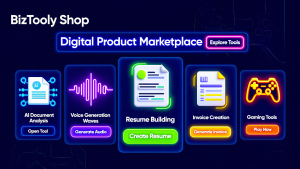
If you are searching for a practical all-in-one toolkit for content creation, document intelligence, voice generation, job search, invoicing, and productivity, the BizTooly shop is

7 AI Tools to Automate Your Boring Tasks You Didn’t Even Know Existed
Introduction: The Hour Thief Nobody Talks About Let’s be honest for a moment. You don’t start your workday planning to spend two hours clearing your
BizTooly School Management System (SMS)
BizTooly SMS BT BizTooly SMS School Management System SA Super Admin admin@school.edu Powered by BizTooly 3 SA

BizTooly Resume Builder – Create ATS-Friendly Professional Resumes in Minutes
Build Job-Winning Resumes Instantly with BizTooly Resume Builder Creating a professional resume that stands out to employers and Applicant Tracking Systems (ATS) can be challenging.

BizTooly Pro: AI-Powered SEO Analysis & Keyword Explorer
In today’s competitive digital landscape, search engine optimization (SEO) has evolved far beyond simple keyword stuffing and meta tags. Modern SEO demands intelligent analysis, real-time data processing,